
MNN 15.6-inch FHD Portable Monitor
4.3Editor score
Full HD IPS display
Dual full-function USB-C
Protective folding smart cover
Landscape and portrait modes
A portable monitor can turn a compact Mini PC into a surprisingly capable workstation, but only when its connections, resolution, and physical design suit the way you work. The right model should deliver a clear image, fit easily into a small space, and connect without unnecessary adapters or complicated setup.
This guide compares ten portable monitors based on their supplied specifications, including screen size, resolution, viewing angle, USB-C and HDMI support, speakers, stands, VESA mounting, portability, and display features. It covers mainstream 15.6-inch productivity displays as well as a compact 7-inch model for embedded and specialist projects.
Each review identifies the strongest use case and important trade-offs without assuming that every Mini PC has the same video-output capabilities. USB-C display support can vary by device, so buyers should verify DisplayPort Alt Mode or use HDMI. As with all display products, availability, offers, and prices change over time.
4.3Editor score

4.8Editor score

4.2Editor score
As an Amazon Associate we earn from qualifying purchases.
The table below compares all ten displays by panel format, resolution, wired connectivity, and portable design features. The many 15.6-inch models are broadly similar on paper, so Mini PC video-output support, included stands, mounting flexibility, and desired screen size are the most useful points of distinction.


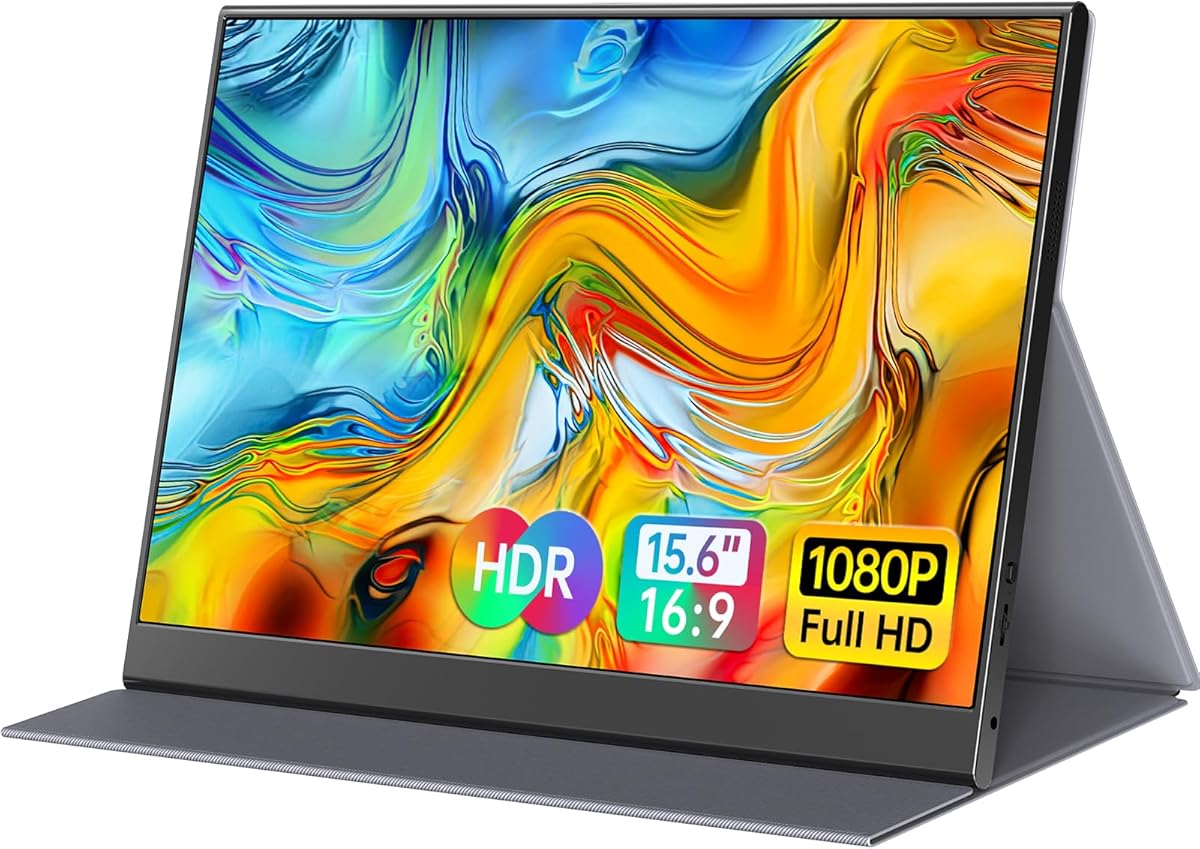


The MNN 15.6-inch FHD 60Hz Portable Monitor combines a conventional Full HD IPS panel with a broad set of connection options, making it a practical choice for Mini PC owners who want a large second display without moving to a desktop monitor. Its supplied rating of 4.3 reflects generally favorable customer feedback, while the listed 1920 by 1080 resolution provides enough desktop room for documents, browser windows, monitoring tools, and media.
We may earn a commission when you buy through this link, at no additional cost to you.
Two full-function USB-C ports are the central convenience. A compatible Mini PC can potentially carry both display data and power through one USB-C cable, reducing desk clutter. The product information also lists HDMI support, which is valuable for Mini PCs that lack video over USB-C or use a full-size HDMI output. As with every USB-C display, buyers should confirm that their computer supports DisplayPort Alt Mode or the required Thunderbolt and USB specifications.
The glossy IPS panel offers a stated 178-degree viewing angle, HDR support, low-blue-light features, and no-flicker operation. The smart cover is more than a sleeve: it protects the panel during transport and folds into a stand. Landscape and portrait modes add flexibility, although a Mini PC user may need to adjust image orientation through the operating system because the cover itself does not necessarily rotate the displayed content automatically.
This monitor is best for budget-conscious buyers who need a large, familiar 15.6-inch workspace, travel between locations, and value a simple one-cable setup. Its main limitation is that it does not advertise integrated speakers, so audio may need to come from the Mini PC, headphones, or separate speakers. Despite that omission, the combination of screen size, Full HD resolution, flexible USB-C connectivity, and a protective stand makes it an especially convincing value-oriented choice.
A Mini PC with compatible full-function USB-C can use a single cable for both power and display, leaving the system free of constant cable clutter. HDMI remains available for computers that do not support video over USB-C.
The scratch-resistant PU leather cover protects the display in transit and folds into a support. That combination is particularly useful when a full-size monitor stand would be inconvenient to carry.
We may earn a commission when you buy through this link, at no additional cost to you.
The Anyuse 15.6-inch FHD IPS USB-C HDMI Portable Monitor is a well-rounded second screen for a Mini PC, combining a 1920 by 1080 IPS display with a notably thin and light enclosure. The listed weight of 1.37 pounds and thickness of 0.04 inch make it easier to fit into a laptop bag than many conventional monitors. Its 4.2 rating indicates solid customer reception without requiring it to occupy the top position.
We may earn a commission when you buy through this link, at no additional cost to you.
Connectivity includes two full-featured Type-C ports and one Mini HDMI port. This gives Mini PC users options, though the very thin Mini HDMI connector is worth considering carefully because some systems use full-size HDMI and may require a suitable adapter. Compatible USB-C devices can generally use one cable for power and video, while the advertised support for PlayStation, Xbox, and Switch expands the display beyond desktop computing.
The monitor's 178-degree IPS viewing angle, HDR mode, and low-blue-light treatment suit long work sessions and shared-screen viewing. Built-in stereo speakers are a meaningful advantage over the MNN model for casual media, conference calls, or console use. Copy, extension, and second-screen modes support presentations, monitoring, and a larger Windows or macOS workspace, although the exact behavior ultimately depends on the operating system and application.
This is a strong all-purpose choice for Mini PC users who travel or work in small spaces and want a full-size 15.6-inch display without giving up speakers. It is less ideal for users with only a full-size HDMI output, or for those who prioritize a more refined stand system or automatic rotation. Even so, its low weight, clean port selection, and broad compatibility make it one of the easier recommendations in this roundup.
The two integrated speakers reduce the need for a separate audio device during ordinary video playback and meetings. Their inclusion makes the monitor particularly convenient for compact Mini PC setups where every accessory adds clutter.
At a stated 1.37 pounds and 0.04 inch thick, the Anyuse is designed for easy packing. It is a practical travel companion for a Mini PC user who frequently works in different locations.
We may earn a commission when you buy through this link, at no additional cost to you.
The Yxk Portable Monitor 15.6-inch 1080p stands out through the combination of a slim Full HD IPS panel, integrated speakers, and VESA mounting support. It gives a Mini PC user a conventional 15.6-inch canvas for productivity while offering more installation options than a display that only includes a folding cover. Its customer rating of 4.2 is consistent with the group of well-regarded 15.6-inch alternatives here.
We may earn a commission when you buy through this link, at no additional cost to you.
The screen uses a 1920 by 1080 resolution, 60Hz refresh rate, HDR support, and a listed 178-degree viewing angle. That is a useful specification set for general office work, web browsing, system monitoring, and light gaming. Two full-featured Type-C ports and a Mini HDMI input provide connection choices, but a Mini PC without USB-C video output will need either a compatible Mini HDMI-to-HDMI cable or a suitable adapter.
VESA compatibility is the most useful feature for a permanent Mini PC installation. Instead of relying on the included kickstand, a user may attach the display to a compatible arm or stand, which can improve positioning on a cramped desk. Two built-in speakers also make the screen usable for presentations and casual entertainment without an immediate need for separate desktop speakers.
At a stated 1.43 pounds and 0.31 inch thick, the Yxk is portable enough for travel while remaining aimed at users who may keep it installed. It is a strong recommendation for a Mini PC office where an arm-mounted second screen is preferred. Users who need automatic orientation changes or a richer physical adjustment mechanism may want to look at the ASUS ZenScreen models, but the Yxk delivers an effective balance of useful features.
VESA support lets the display move beyond the supplied kickstand and work with a compatible monitor arm. That is especially valuable beside a Mini PC, where desk height and screen position can otherwise be awkward.
The 15.6-inch Full HD panel provides a familiar work area while the 1.43-pound listed weight remains manageable. It is well suited to users who need more screen than a compact travel display but still plan to carry the setup.
We may earn a commission when you buy through this link, at no additional cost to you.
The InnoView Portable Monitor is a strong all-round companion for a Mini PC, pairing a 15.6-inch Full HD IPS screen with a protective PU leather cover, flexible viewing angles, and broad device compatibility. Its 4.4 rating is among the strongest in this group, suggesting favorable owner experiences, and the feature set is especially relevant to people who regularly pack a complete computer into a bag.
We may earn a commission when you buy through this link, at no additional cost to you.
The display provides 1920 by 1080 resolution, a 178-degree viewing angle, HDR, low-blue-light functionality, and flicker-free operation. Two full-function Type-C ports and one HDMI connection support different Mini PC configurations. Compatible USB-C systems can use one cable for power and video, while reverse charging allows connected devices to receive power when the display is operating as intended.
The smart cover is a particularly useful accessory. Two grooves in the base allow adjustments to the viewing angle, while the cover shields the display during transport. Optional landscape and portrait modes make it possible to use the screen beside a Mini PC in different workspace arrangements. A built-in speaker is also listed, adding convenience for media and presentations.
The product guidance notes that a power cable is not included and recommends checking the host device's output because devices with different power output can cause flickering or restarts. That caveat is important for compact Mini PCs with limited power budgets. Buyers should also confirm USB-C DP Alt Mode support. With that due diligence, the InnoView is a well-rounded and travel-friendly recommendation.
Two grooves in the cover base offer some control over the viewing angle without requiring a separate stand. The same cover protects the panel when the display is stored in a backpack.
A compatible Mini PC can send video and power through one full-function USB-C connection. The stated reverse-charging function can also keep a phone or another connected device powered during use.
We may earn a commission when you buy through this link, at no additional cost to you.
The ForHelp 15.6-inch Portable Monitor is built for users who want a conventional Full HD workspace in a slim enclosure. Its rating of 4.4 places it among the better-reviewed products here, while the aluminum alloy body gives it a more refined travel profile than many basic plastic alternatives. The matte IPS panel is also a sensible choice for offices and shared workspaces where reflections can be distracting.
We may earn a commission when you buy through this link, at no additional cost to you.
The monitor supports 1920 by 1080 resolution, a 178-degree viewing angle, HDR, low-blue-light functionality, and flicker-free operation. Two full-feature USB-C ports and a Mini HDMI port cover common Mini PC configurations, with a single USB-C cable able to handle compatible power and display requirements. The HDMI port is positioned on the left side, so buyers who plan to route cables along a particular side of a desk should take note.
Its magnetic smart holster protects the screen and folds into a stand with grooves that offer a choice of viewing angles. The stated total weight is 1.52 pounds and the thickness is 0.3 inch, placing it among the lighter and slimmer options. Two built-in speakers expand its usefulness for video, presentations, and casual console gaming.
The ForHelp is a good recommendation for a Mini PC user who values a slim aluminum design, a matte screen, and an all-in-one cover and stand. It is less convenient for a system with only full-size HDMI, unless the correct adapter is available. Apart from that port consideration, it offers a balanced feature set for mobile productivity and everyday entertainment.
The anti-reflective matte finish is useful beside a bright window or under strong overhead lighting. It can make text and desktop elements easier to view than a glossy panel in those conditions.
The aluminum alloy housing, 0.3-inch profile, and 1.52-pound listed weight keep the display suitably portable. The magnetic holster protects the screen and supplies a basic stand.
We may earn a commission when you buy through this link, at no additional cost to you.
The WGK 15.6-inch Portable Monitor is an accessible choice for a Mini PC desk because it includes a built-in stand and supports VESA mounting. Its 4.3 rating reflects a solid overall reception, while the Full HD IPS panel and broad source compatibility cover the essentials for work, monitoring, media, and light gaming.
We may earn a commission when you buy through this link, at no additional cost to you.
Two USB-C ports and one Mini HDMI port provide the main connection routes. A Mini PC with a compatible full-feature USB-C port may use one cable for power and video, and HDMI-oriented systems can use the Mini HDMI input with the appropriate cable or adapter. The display supports copy, extension, and second-screen modes, allowing the same hardware to serve presentations and an expanded desktop.
The integrated stand allows adjustment to a preferred viewing angle, while VESA compatibility expands the installation options. Two built-in speakers are useful for casual audiovisual use. The listed weight is 2.7 pounds, making this model heavier than most of the other 15.6-inch portable displays, although that figure includes its more substantial stand design.
WGK provides a specific warning that the screen may not remain on if the computer's power supply is insufficient, recommending a 5V 2A charger when necessary. This makes the model a sensible option for Mini PCs with dedicated power, but it is less convenient for ultra-compact systems with a single power-limited port. Overall, the WGK is compelling for users who prioritize a ready-to-use stand and mounting flexibility.
The integrated stand provides immediate positioning without another accessory, while VESA compatibility allows an arm or compatible mount when a more permanent arrangement is needed.
Some Mini PCs may not supply enough power for the display to remain active. WGK recommends using a 5V 2A charger when needed, which is an important consideration for compact systems.
We may earn a commission when you buy through this link, at no additional cost to you.
The 7-inch Mini Monitor is the specialist choice in this roundup, offering 1024 by 600 resolution, a 178-degree IPS viewing angle, 500 cd/m2 brightness, built-in speakers, and an unusually broad collection of inputs. Its 4.1 rating is slightly below the more conventional 15.6-inch portable monitors, but that reflects a different purpose rather than a direct comparison of screen quality.
We may earn a commission when you buy through this link, at no additional cost to you.
Unlike the laptop-oriented displays in this guide, the unit includes HDMI, VGA, BNC, and AV connections. It can serve a Mini PC, Raspberry Pi, CCTV system, camera, DVD player, DVR, TV box, or other video source. BNC is specifically for CVBS cameras, and the stated guidance notes that AHD, TVI, and CVI sources require an adapter. Those details make the screen relevant to technical installations rather than ordinary office productivity.
The aluminum alloy shell is designed to be scratch-resistant, drop-resistant, and easy to carry. Power can come from DC at 12V and 1A or through Micro USB at 5V and 2A, allowing a power bank to support the display. Plug-and-play operation means no drivers or special software are required for the listed video connections.
This monitor is best for a Mini PC embedded in a kiosk, maker project, security setup, live-streaming station, or compact appliance. Its 1024 by 600 panel is less suitable for detailed documents, dense editing timelines, or multiple full-resolution desktop windows. It also differs sharply from the other recommendations in size and resolution, but for a dedicated small-screen application, its variety of inputs is exceptionally useful.
HDMI, VGA, BNC, and AV inputs allow the display to work with cameras, security equipment, media players, and embedded computers. The wide input selection is more important here than desktop ergonomics.
At seven inches, the monitor is small enough for embedded projects and highly portable. Its 1024×600 resolution is modest, but ideal when the goal is a dedicated status display rather than a full desktop.
We may earn a commission when you buy through this link, at no additional cost to you.
The ASUS ZenScreen MB169CK is a premium 15.6-inch portable monitor for Mini PC users who care about a refined physical design, dependable desktop ergonomics, and simple travel. Its 4.2 rating is solid, and the anti-glare Full HD IPS panel, low weight, and 11.8mm profile make it a credible mobile workstation display.
We may earn a commission when you buy through this link, at no additional cost to you.
A key benefit is the 360-degree kickstand, which offers far more adjustment than a basic folding cover. The monitor can be positioned at different angles, used in portrait orientation, or paired with a standard portable monitor stand through its tripod socket. DisplayWidget software adds automatic rotation between portrait and landscape, removing the need to change screen orientation manually every time the display is repositioned.
The single USB-C approach carries both power and video, keeping the connection process straightforward. That convenience depends on the Mini PC supporting the necessary USB-C video mode, so users should verify compatibility before purchase. The display also includes TV-certified eye-care features such as low-blue-light and flicker-free technology, which are useful during extended reading and coding sessions.
ASUS backs the monitor with a three-year warranty and advanced replacement and repair service, making it a reassuring premium choice. It also includes a three-month Adobe Creative Cloud subscription offer subject to the stated validity date. For Mini PC users willing to confirm USB-C compatibility, the MB169CK offers one of the strongest stands and most polished overall experiences in the roundup.
The 360-degree kickstand makes it easier to find a comfortable viewing angle on a compact desk. It can also rotate into portrait mode for documents, chat windows, or vertically oriented applications.
DisplayWidget can automatically rotate the image when the monitor's orientation changes. This is particularly useful for Mini PC users who alternate between landscape productivity and portrait reading.
We may earn a commission when you buy through this link, at no additional cost to you.
The cocopar Portable Monitor is the strongest overall recommendation in this guide, earning a supplied rating of 4.8, the highest among the ten products. It combines a familiar 15.6-inch Full HD format with a highly portable construction, broad wired connectivity, VESA mounting, and a magnetic smart stand case. The result is a display capable of serving as a primary or secondary Mini PC screen at home, in transit, or in a shared workspace.
We may earn a commission when you buy through this link, at no additional cost to you.
The panel delivers 1920 by 1080 resolution at 60Hz, HDR, a 178-degree viewing angle, and an 85% sRGB color gamut. It is best suited to general productivity, media, system monitoring, and everyday content work. The stated gamut is respectable for a travel display, though it is less expansive than displays designed primarily for professional color-critical work.
Two full-featured USB-C ports and an HDMI connection support a wide range of systems. A compatible Mini PC can send video and power through a single USB-C cable, while reverse charging can keep a connected phone or other device powered. The monitor's physical design is unusually slim at a stated 4mm at its narrowest point, and the listed weight is 1.5 pounds without the magnetic cover.
The smart cover protects the screen and acts as a flexible stand, while two VESA holes support a more permanent monitor-arm arrangement. The complete package with the cover is listed at 2.4 pounds, so buyers who prioritize the lowest carrying weight should account for the difference. Overall, the cocopar balances portability, connectivity, customer satisfaction, and mounting flexibility exceptionally well.
The four-millimeter slim profile and 1.5-pound listed weight without the cover make the monitor easy to carry. A standard 15.6-inch workspace avoids the cramped layout associated with much smaller travel screens.
The magnetic smart cover works as a portable stand, while VESA holes allow connection to a compatible arm. This makes the display equally practical for a bag and a permanent Mini PC workstation.
We may earn a commission when you buy through this link, at no additional cost to you.
The ASUS ZenScreen MB16AHV is a premium portable monitor for Mini PC users who place a premium on connectivity, hygiene-focused design, and refined stand adjustment. Its 4.4 rating is among the strongest in the group, while the full-size 15.6-inch format provides a practical work area for documents, browser windows, and monitoring applications.
We may earn a commission when you buy through this link, at no additional cost to you.
The anti-glare Full HD IPS display is designed to reduce reflections in cafes, airports, and coworking spaces. It incorporates flicker-free and low-blue-light technology, plus an ionic silver treatment stated to inhibit 99.9% of bacteria. That surface feature may appeal to users who handle the screen in shared environments, although it does not change the underlying image specifications.
Two USB-C ports and a Mini HDMI input provide more connection choices than a single-port design. The stated 15W power delivery can handle a one-cable power-and-video setup on compatible systems, while the second USB-C port adds flexibility. DisplayWidget supports automatic rotation, and the fold-out kickstand and tripod socket make it easy to switch between landscape and portrait work.
At a listed 0.9 kilograms and 10mm thick, the MB16AHV is slightly bulkier than the MB169CK, but it offers a more advanced port selection. It is an excellent choice for a fixed Mini PC desk or for users who value added power delivery and an antibacterial-coated surface. The included three-year warranty and advanced replacement service further reinforce its premium positioning.
The stated 15W USB-C power delivery can help keep a connected device charged while the monitor operates. This is useful in travel setups where charging opportunities and desk space are limited.
The anti-glare panel reduces distracting reflections, while the ionic silver coating is stated to inhibit 99.9% of bacteria. Both qualities suit cafés, airports, and other frequently shared work areas.
We may earn a commission when you buy through this link, at no additional cost to you.
The most important consideration is not merely screen size but whether the display can receive video from your particular Mini PC. After confirming that connection, compare resolution, panel treatment, power demands, speakers, mounting options, and the degree to which the display must travel.
Portable monitors commonly use USB-C for DisplayPort Alt Mode, but a USB-C port on a Mini PC does not automatically guarantee video output. Some systems provide full-function USB-C, while others reserve certain ports for data, charging, or other functions. The listed compatibility requirements include Thunderbolt 3.0 or 4.0, or USB 3.1 Type-C with DisplayPort Alt Mode. Check the Mini PC manual and its port symbols before choosing a one-cable arrangement.
Choose the display based on the ports your system actually has. HDMI is the most straightforward alternative for a Mini PC with a dedicated video output, while Mini HDMI may require a short cable or adapter. Some models also include VGA, AV, or BNC inputs, which are relevant to embedded projects but not usually needed for a standard office computer.
A 15.6-inch display is the most common portable format in this guide because it provides enough room for a full desktop without taking up the space of a conventional monitor. It is a good match for spreadsheets, web research, remote meetings, system dashboards, and side-by-side application windows. Full HD resolution makes that larger canvas practical for most general-purpose Mini PC work.
The 7-inch model serves a very different purpose. Its 1024 by 600 resolution is suitable for a dedicated status screen, kiosk, security display, or maker project, but it is not an ideal replacement for a conventional desktop. Think about viewing distance, desk area, and whether readability or compact size matters more.
A single USB-C cable can carry both power and video on compatible systems, but the display and computer must negotiate enough power to keep the screen running. The WGK product specifically recommends a 5V 2A charger when the connected computer cannot supply adequate power. Other models describe reverse charging or power pass-through, which can be helpful for a phone or secondary device.
Mini PC buyers should check whether their system has a dedicated power connector and whether the display includes or supports an external power lead. If the Mini PC is powered from a separate adapter, one USB-C cable may handle the monitor. If it draws power from the same port, a charger or powered hub may be necessary to avoid instability.
All of the 15.6-inch models offer Full HD IPS-style displays and broad viewing angles, which makes them easier to view from different positions around a compact desk. Glossy and matte finishes appear across the group. A matte anti-glare surface is generally more practical under bright lighting, while a glossy panel can look more reflective. HDR support is widely advertised, though image quality still depends on source content and system settings.
For ordinary office use, 1920 by 1080 is sufficient. The cocopar model's 85% sRGB figure gives a useful reference, but most products do not provide enough color information for a strict professional comparison. If accurate color is a primary requirement, verify the panel specifications independently rather than assuming that HDR alone means professional color accuracy.
A portable monitor's stand can determine whether the display feels convenient or frustrating. Folding covers and magnetic holsters are compact, but their angle adjustment is often limited. Integrated kickstands provide more positioning control, while a 360-degree ASUS stand offers the broadest adjustment in this roundup. VESA holes can be even better for a permanent Mini PC installation because they allow use of a monitor arm.
Think about where the Mini PC will live. A coffee-table setup benefits from an integrated folding stand, while a fixed office desk may be better served by VESA mounting and a separate arm. If a separate arm is desired, verify the exact VESA pattern and included hardware rather than assuming every VESA-compatible display includes a complete mounting kit.
Built-in speakers can be convenient for presentations, conference calls, and media, and they are listed for the Anyuse, Yxk, ForHelp, WGK, and 7-inch monitor. The MNN and cocopar descriptions do not state that the monitors include speakers, so users needing built-in audio should verify the current package details. Compact desktop speakers can offer better sound but require additional space and cables.
For a Mini PC setup used mainly for documentation, development, or administration, display quality and connectivity may matter more than audio. For gaming, streaming, or group presentations, integrated speakers are a useful secondary feature, though they should not be confused with a full entertainment system.
Weights range from highly compact models to heavier designs with integrated stands, and the added case weight can be substantial. A thin panel is easy to fit into a briefcase, but it may bend more easily and may need a rigid cover. Models weighing around 1.37 to 1.52 pounds offer a useful balance between full-size usability and low carry weight.
The cocopar is listed at 1.5 pounds without its magnetic cover and 2.4 pounds with it, illustrating why the total packed weight matters. Review the dimensions, cover design, and stand type together. The best travel display is one that can be packed securely and positioned easily after arriving, not simply the model with the thinnest bare panel.
Low-blue-light and flicker-free features are common across the 15.6-inch models and are useful for long work sessions. ASUS adds DisplayWidget software for automatic rotation, which is a meaningful advantage if the display regularly changes between portrait and landscape orientations. A rotating stand or VESA mount can still be used without software, but automatic orientation is more convenient.
Eye-care labels should be treated as helpful features rather than proof that every display suits every person. Adjust brightness, use sensible text scaling, take breaks, and position the screen at a comfortable distance. For a Mini PC used by one person, these habits remain essential regardless of the monitor's advertised features.
Begin by identifying the correct video output on the Mini PC. For a full-function USB-C port, connect the monitor with a suitable USB-C cable and select the correct input. If using HDMI or Mini HDMI, connect the appropriate cable, configure the source in the operating system, and adjust the display resolution, scaling, and orientation as needed. Windows users can change the arrangement and choose whether the display extends or mirrors the desktop.
Adjust the stand or cover before beginning detailed work. A low-blue-light mode, HDR setting, or brightness adjustment can make the image more comfortable, but HDR content should be viewed at a reasonable brightness. Use portrait orientation for reading and vertical workflows, while keeping the display upright at a consistent angle. When using VESA hardware, tighten the attachment points and confirm that the screen does not sag or shift.
For transport, power the display down before folding or removing the stand, coil cables without sharp bends, and place the screen inside its protective cover. Avoid pressing on the panel or leaving the device in a packed bag at an extreme temperature. Clean the display with a soft microfiber cloth and avoid abrasive or solvent-based cleaners, especially on matte coatings, treated surfaces, and leather covers.
Most can, but the connection method depends on the Mini PC's available outputs. A Mini PC with HDMI can use an HDMI-compatible monitor, while a USB-C connection generally requires DisplayPort Alt Mode or a compatible Thunderbolt and USB specification. Check the system specifications and the monitor's connection requirements before buying.
No. A USB-C port may support data only, charging only, or video through DisplayPort Alt Mode. Full-function USB-C ports on compatible portable monitors can carry display data and power together, but the Mini PC must support video output on that specific port. Otherwise, HDMI or another suitable input is required.
Yes, because 15.6 inches is a familiar desktop size without requiring a large monitor base. A Full HD panel can comfortably handle documents, browser windows, remote meetings, and system monitoring. The main considerations are stand placement, available desk depth, and whether USB-C or HDMI is more appropriate for the particular Mini PC.
The 7-inch monitor has a 1024 by 600 resolution and specialized HDMI, VGA, BNC, and AV inputs. It is better suited to embedded projects, security systems, cameras, kiosks, and dedicated status displays. The 15.6-inch models provide 1920 by 1080 resolution and are much more appropriate for general desktop productivity.
Some can receive enough power through a compatible USB-C connection, while others may require more power than a Mini PC can provide over that port. The WGK description recommends a 5V 2A charger if the display will not remain on. Check the monitor's power guidance and your Mini PC's power arrangement before setup.
They are useful for presentations, video calls, and casual gaming without adding another device to the desk. They are not essential for document-focused work, however. Several models in this guide include speakers, while others do not advertise them, so check the package details if audio is important.
Several models support VESA mounting, including the Yxk, WGK, and cocopar displays. A compatible monitor arm can provide better height and angle adjustment for a fixed Mini PC workspace. Confirm the exact mounting pattern and whether the package includes the necessary screws or adapter hardware.
Matte or anti-glare screens are usually easier to view in bright rooms because they reduce reflections. Glossy panels can produce sharper-looking contrast in controlled lighting but may show fingerprints and environmental glare. The best choice depends on where the Mini PC and portable display will normally be used.
The cocopar Portable Monitor is the strongest overall option, combining the highest supplied customer rating with a Full HD 15.6-inch panel, slim construction, USB-C and HDMI connectivity, VESA support, and a protective smart cover. The MNN monitor is the best value-oriented choice for users who prioritize one-cable USB-C operation, a large IPS screen, and a cover that doubles as a stand.
The ASUS ZenScreen MB169CK is the premium ergonomic option, with a 360-degree kickstand, auto-rotation software, anti-glare Full HD display, and strong warranty coverage. Whichever direction you prefer, begin with Mini PC compatibility. Confirm the exact video output, evaluate whether enough power can reach the display, and then choose based on the stand, panel finish, audio, and portability needs.
Current product features, package contents, warranty terms, and offers can change, so verify the latest listing before purchasing. Comparing the Mini PC's ports against the monitor's requirements is the most important step; it prevents an otherwise attractive portable display from becoming an inconvenient cable-conversion project.