
Seagate Game Drive SSD 1TB
4.5Editor score
Xbox-focused 1TB capacity
USB 3.2 Gen 1 interface
Green LED game design
Our external SSD for Xbox Series X Storage guide compares 10 options for capacity, speed, Xbox compatibility, design, portability, and everyday gaming value.
An external SSD can give an Xbox Series X or Series S more room for modern games, reduce the pressure caused by crowded internal storage, and make it easier to organize a growing library. The right drive should offer genuine Xbox compatibility, dependable transfer speeds, sufficient capacity, and a design that suits your setup.
We compared all 10 featured products by capacity, interface, stated performance, console support, portability, storage features, and design. The guide includes purpose-built Xbox drives, licensed expansion cards, and broadly compatible portable SSDs so readers can distinguish specialized gaming features from general-purpose performance.
Each selection explains the strongest reasons to choose it, along with important limitations such as archived-game restrictions, HDD transfer speeds, or the need for a specific USB connection. Product ratings and specifications can change over time, and current prices should be checked before purchasing.
4.5Editor score
4.6Editor score

4.8Editor score
The comparison below highlights the major differences in capacity, interface, performance, and Xbox integration. It also separates purpose-built game drives from portable SSDs and expansion hardware designed to integrate more directly with the console.


The Seagate 2TB Game Drive combines a roomy 2TB capacity with an Xbox-focused design and a 4.5 customer rating. It is built for organizing a substantial game vault rather than delivering the quickest possible transfers. Its compatibility with Xbox Series X, Xbox Series S, and Xbox One consoles makes it a practical choice for users who want one drive to support multiple Xbox systems.
We may earn a commission when you buy through this link, at no additional cost to you.
The main benefit is storage density in an affordable package. A 2TB drive can hold considerably more games than a smaller model, which is useful when modern titles and updates consume so much room. The bold shell complements an Xbox setup, while the built-in green LED bar provides a clear visual connection to the console. Rescue Data Recovery Services and a one-year limited warranty add some reassurance for long-term storage.
The important limitation appears in the product information: games cannot be played directly from this external hard drive. Its role is to store, move, and manage titles that are moved between internal storage and the Game Drive. HDD mechanics also make it materially slower than the SSDs in this guide, particularly during large file transfers, so buyers should not expect SSD-level responsiveness.
This is a sensible recommendation for a player who values capacity, recognizable Xbox styling, and cross-generation support more than instant loading or direct play. Check the current console game-management behavior before purchasing, especially if your routine depends on launching every title directly from external storage.
The 2TB capacity gives Xbox users room to retain completed games, current favorites, and upcoming releases in one dedicated library. It is especially useful for collectors who regularly move games off the console's internal storage.
The refined housing and illuminated Xbox-green LED bar make this drive feel more like part of a gaming setup than a generic peripheral. It also works across current and previous Xbox generations.
We may earn a commission when you buy through this link, at no additional cost to you.
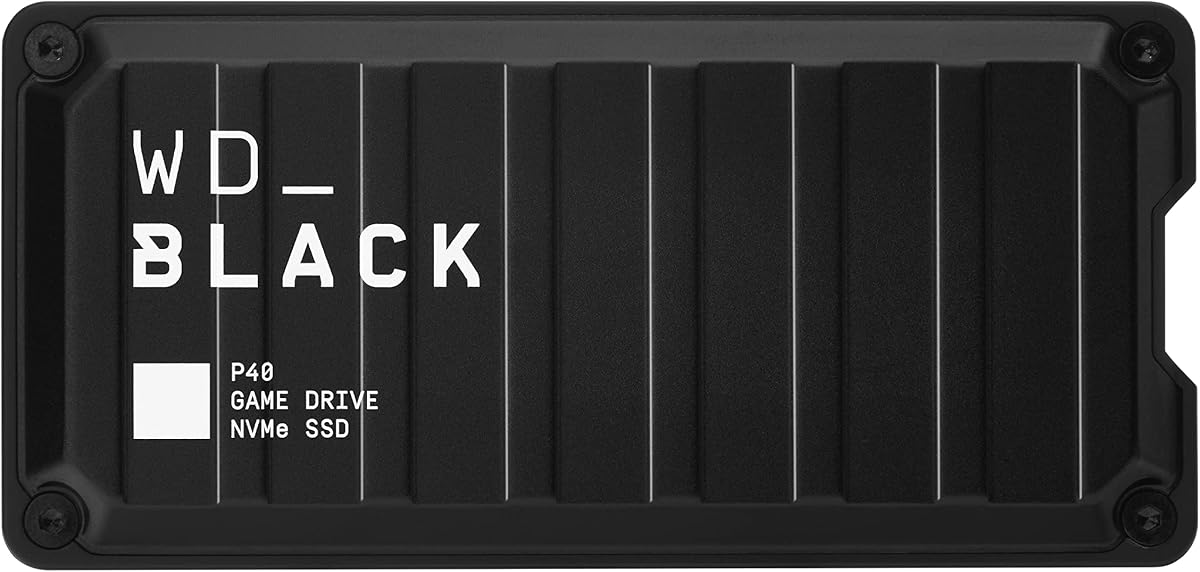
The WD_BLACK P40 Game Drive SSD combines a 4.6 rating, 1TB capacity, and stated read speeds of up to 2,000MB/s. That performance ceiling makes it appealing for users who want fast transfers without giving up the game-focused styling and broad device compatibility associated with the WD_BLACK product line.
We may earn a commission when you buy through this link, at no additional cost to you.
Its USB 3.2 Gen2x2 interface is the central feature, allowing high transfer rates when the host device and connection also support the required bandwidth. The drive supports Xbox Series X|S, Xbox One, PlayStation 5, and PlayStation 4, with specified play-and-store or archive behavior depending on the console generation. RGB lighting can be customized through the WD_BLACK Dashboard on Windows.
The shock-resistant structure is designed to survive drops of up to two meters, which is useful for a portable device that may travel between a living room, desk, and travel bag. Buyers should not expect the advertised maximum speed under every condition; the manufacturer notes that performance varies with the host, usage situation, capacity, and other factors.
The P40 is a strong all-around choice for a gamer who values speed, recognizable design, and broad compatibility. The one-terabyte model may be modest for collectors, but it is a balanced option for active players who regularly rotate a focused selection of games.
A stated read speed of up to 2,000MB/s can make moving large game files noticeably quicker when both the source device and cable support the full interface. Real-world results will vary with the host and workload.
Customizable RGB lighting adds personality to a gaming shelf, while PC and Mac support lets the same drive handle backups and file transfers. Lighting customization requires Windows and the WD_BLACK Dashboard.
We may earn a commission when you buy through this link, at no additional cost to you.
The Lexar ES3 1TB is a compact portable SSD rated 4.4 by customers. It emphasizes portability, a slim USB 3.2 Gen 2 interface, and broad compatibility, making it a flexible option for users who want one small drive to move between an Xbox Series X|S console, a computer, a camera, or a compatible mobile device.
We may earn a commission when you buy through this link, at no additional cost to you.
The drive supports read speeds up to 1,050MB/s and writes up to 1,000MB/s when the connected system supports USB 3.2 Gen 2. Its 42-gram weight and 10.5mm thickness are particularly appealing for travel. A Type-C cable supports plug-and-play use, while Lexar DataShield 256-bit AES encryption software adds a file-protection option.
Unlike dedicated Xbox game drives, the ES3 does not provide a gaming-oriented LED, game-vault workflow, or explicitly detailed archive behavior. Its listed compatibility includes Xbox X|S, but users should verify exactly how they intend to use the drive. The product also notes that Magsafe is unavailable for this version and that some older iPhone models are not supported.
Choose the ES3 when portability and a broad general-purpose storage role matter most. It can complement an Xbox setup, but the WD_BLACK C50 is more purpose-built when direct console integration and Quick Resume are priorities.
At 42 grams and 10.5mm thick, the ES3 is easy to carry in a pocket or small gaming bag. Its understated silver design works equally well beside a console, laptop, or camera.
Lexar DataShield provides 256-bit AES encryption software for protecting files. This makes the drive useful for sensitive documents in addition to game transfers and general backups.
We may earn a commission when you buy through this link, at no additional cost to you.
The WD_BLACK C50 Expansion Card is the most console-focused product in this guide, earning a 4.8 rating. It is an officially licensed 1TB NVMe expansion card for Xbox Series X|S, designed to integrate with the console's storage architecture rather than simply behaving like a generic external drive.
We may earn a commission when you buy through this link, at no additional cost to you.
Its defining advantage is Xbox Velocity Architecture integration. The card is intended to deliver fast access and reduced waiting within the console's supported storage framework. Quick Resume support is another major feature, allowing players to move between suspended games and return to where they left off without a full restart.
The hardware format creates an important limitation. Unlike a USB external SSD, this expansion card fits directly into the compatible console and is not a portable drive for PCs or other devices. It also does not expand the storage of every Xbox model, because the product is specified for Xbox Series X|S consoles rather than Xbox One systems.
For a Series X or Series S owner who wants the most integrated storage experience, the C50 is the most compelling recommendation here. Its premium positioning is justified by native licensing, NVMe performance, and Quick Resume rather than by capacity alone.
Official licensing and Xbox Velocity Architecture support allow the card to operate as an integrated part of the Series X|S storage system. That makes it a closer fit for console use than a general-purpose USB drive.
Quick Resume support helps players switch among suspended games with less delay. This feature is especially valuable for players who rotate among several demanding modern titles.
We may earn a commission when you buy through this link, at no additional cost to you.
The Seagate Game Drive SSD 1TB provides a straightforward 1TB of external solid-state storage with a 4.5 rating. Unlike the broader portable SSDs in this list, it is explicitly designed around the Xbox Game Vault concept, making it easy to understand who should consider it.
We may earn a commission when you buy through this link, at no additional cost to you.
Compatibility is listed for Xbox Series X|S, every generation of Xbox One, and Game Pass. That breadth gives the drive a strong appeal for households using more than one Xbox generation. Compared with a mechanical external hard drive, solid-state storage can also reduce file-transfer waiting, although the product information does not quote a maximum read or write speed.
The included green LED bar and refined enclosure are clear signals that this is a gaming accessory rather than a generic file drive. The product also includes three years of Rescue Data Recovery Services and a three-year limited warranty, which are useful additions for a drive intended to hold an important game library.
This is an attractive option for someone who wants a recognizable Xbox storage product, broad console support, and SSD responsiveness without chasing the highest interface specification. The principal compromise is capacity, because 1TB leaves less room for a large collection than the 2TB, 4TB, and 6TB alternatives.
The drive is designed to build and manage a Game Vault, giving Xbox users a clearer storage path than they would receive from a general external SSD. Its compatibility extends across Series X|S and Xbox One generations.
Using solid-state storage avoids the mechanical limitations of an external hard drive. The absence of a stated maximum speed, however, makes it less compelling for buyers who prioritize transfer-rate specifications.
We may earn a commission when you buy through this link, at no additional cost to you.
The Samsung T7 1TB earns a 4.7 rating and brings a refined combination of portability, speed, and durability. Its stated read and write speeds of up to 1,050MB/s and 1,000MB/s place it in a capable class for moving game files, working with large media, and handling routine backups.
We may earn a commission when you buy through this link, at no additional cost to you.
The drive's solid aluminum unibody construction provides shock resistance and protection from falls of up to six feet. It is designed for more than game storage: the product information highlights applications such as video editing, photography, high-resolution recording, and saving large working files.
Its main drawback for this particular category is the lack of explicit Xbox-focused features. The T7 is a general portable SSD rather than an officially described Game Vault device, and its product details do not spell out specialized archive behavior for Xbox Series X|S. Compatibility and intended use should therefore be checked against current console requirements.
The T7 is a good choice for an Xbox owner who also wants a durable drive for creative projects and everyday file storage. Its 1TB capacity fits a curated library, while its polished design and strong customer rating make it a particularly well-rounded peripheral.
The aluminum unibody enclosure and stated six-foot fall resistance suit frequent travel. It feels more substantial than many plastic portable SSDs without becoming bulky.
Support for high-resolution recording and heavy creative workflows makes the T7 useful for more than console storage. Owners can move between game transfers, backups, and media files with one drive.
We may earn a commission when you buy through this link, at no additional cost to you.
The WD_BLACK P50 Game Drive SSD 4TB combines a 4.7 rating with a substantial 4TB capacity and stated SSD read speeds of up to 2,000MB/s. It is aimed at gamers who want fast solid-state storage without approaching the capacity limits of external hard drives.
We may earn a commission when you buy through this link, at no additional cost to you.
A SuperSpeed USB 20Gb/s interface provides the theoretical pathway for the advertised performance, although the product notes that actual results depend on the host, capacity, usage conditions, and other factors. The 4TB capacity can preserve a large selection of games and future additions while retaining the transfer benefits of solid-state storage.
Compatibility extends across PlayStation, Xbox, PC, and Mac, making it a broad option for mixed-device households. The drive is also shock resistant and portable. Its included 18-inch USB Type-A to Micro-B cable supports SuperSpeed, but owners should verify that their console or computer has the appropriate port and consider whether a newer connector would suit their setup better.
The P50 is the top choice for a collector who needs both substantial capacity and high transfer speed. Its bulkier and more expensive proposition than a 1TB model is understandable when the goal is to preserve an expansive game library in one fast, portable device.
The 4TB capacity gives owners more flexibility than most 1TB or 2TB options. It is useful for keeping current releases, older favorites, and future downloads together in a single solid-state drive.
The claimed read speed of up to 2,000MB/s is paired with a shock-resistant portable enclosure. Users should use a connection capable of supporting the full SuperSpeed interface to approach advertised results.
We may earn a commission when you buy through this link, at no additional cost to you.
The Lexar ES3 2TB combines a 4.5 rating with twice the capacity of the 1TB ES3 while retaining strong USB 3.2-class performance. Stated speeds reach up to 1,050MB/s for reads and 1,000MB/s for writes, positioning it as a capable general-purpose SSD for game storage and file transfers.
We may earn a commission when you buy through this link, at no additional cost to you.
Thermal management is a notable engineering detail. Double-layer graphite sheets are designed to conduct heat away during sustained transfers, helping the drive remain cooler under demanding workloads. It also offers drop resistance up to two meters, which is useful for a portable device that may be carried regularly.
The included 2-in-1 USB-C and USB-A cable makes connection to PCs, Macs, tablets, and smartphones more convenient. As with the 1TB model, however, the product information does not highlight dedicated Xbox Game Vault functions, archive rules, or Xbox-oriented design. This is a flexible storage accessory rather than an explicitly console-specialized drive.
Choose this ES3 when you want a compact 2TB drive with fast transfers, useful heat management, and broad device support. For seamless console integration and Quick Resume, the WD_BLACK C50 remains the stronger purpose-built option.
The 2TB version offers a useful middle ground between smaller portable SSDs and desktop-style storage. It can carry a large game selection while remaining suitable for travel and multi-device use.
Double-layer graphite sheets are intended to improve heat dissipation during fast transfers. This is a useful feature for users who move large files or rely on the drive for demanding backups.
We may earn a commission when you buy through this link, at no additional cost to you.
The ADATA SE880 is a 1TB portable SSD with a 4.5 rating and a stated speed of up to 2,000MB/s. Its USB 3.2 Gen2x2 interface and support for new-generation game consoles make it relevant to Xbox Series X|S owners, particularly those who already prioritize fast USB storage.
We may earn a commission when you buy through this link, at no additional cost to you.
The titanium-finished enclosure is presented as lightweight, compact, and portable. That combination suits a drive that will sit near a console for regular game transfers but also travel to another computer. The SE880 supports multiple operating systems, giving it more flexibility than a dedicated game-vault product.
The product summary provides limited detail about Xbox-specific workflows, archive functions, and direct-play behavior. The advertised 2,000MB/s figure also represents a maximum supported read rate rather than a guarantee for every connected console, file, or task. A host device and cable must support the appropriate USB bandwidth.
The SE880 is best for a buyer who wants compact hardware and a very high stated interface speed without paying for a larger capacity. It may complement a console setup, but shoppers seeking guaranteed native integration should prioritize the officially licensed C50.
USB 3.2 Gen2x2 provides a high theoretical bandwidth for large transfers. The advertised rate is most relevant when the connected computer, console, hub, and cable all support the required standard.
The compact titanium-style enclosure balances durability with easy transport. It is a natural fit for users who want one drive to serve both a console and a computer.
We may earn a commission when you buy through this link, at no additional cost to you.
The WD_BLACK P10 6TB is the capacity leader in this guide, with a 4.7 rating and room for up to 6TB. The product information states that it can hold as many as 150 games, making it an attractive vault for collectors who want to keep old favorites and reserve room for new releases.
We may earn a commission when you buy through this link, at no additional cost to you.
The portable 2.5-inch enclosure has a sleek metal top covering and supports Xbox Series X|S, PlayStation 5, and PC. The stated compatibility explains that users can play and store Xbox One games or archive Xbox Series X|S games, depending on the title and console workflow. That distinction is important when planning how the library will be used.
Because this is a mechanical hard drive rather than an SSD, its stated speed of up to 130MB/s is much lower than the portable SSD options. Large game transfers will take longer, and the drive should not be treated as a direct-play solution. Its advantage is the amount of space available for relatively little hardware than a multi-drive SSD setup would require.
The P10 is best for maximum capacity and long-term game archiving, not rapid loading or direct execution. It complements an SSD-based setup by holding a deep back catalog while a faster drive handles current play.
A stated capacity for up to 150 games makes the P10 suitable for large collections. Users can preserve older favorites and continue adding new releases without relying on multiple external drives.
The maximum stated speed of 130MB/s reflects the limits of hard-drive storage. Initial transfers may take considerably longer than they would with the 2,000MB/s-class SSDs in this guide.
We may earn a commission when you buy through this link, at no additional cost to you.
The right external storage choice depends on whether you prioritize native console integration, direct play, transfer speed, maximum capacity, or portability. These factors help clarify the difference between a licensed expansion card, a dedicated Game Vault device, and a general-purpose USB SSD.
The WD_BLACK C50 is the clearest choice here for native integration because it is an officially licensed expansion card built for Xbox Series X|S. It connects through the console's dedicated storage expansion path and supports Xbox Velocity Architecture and Quick Resume. That integration can feel more seamless than managing a drive through a USB connection, but it also restricts the card to compatible Xbox Series consoles. If you want a drive that behaves like an extension of the console rather than an accessory, prioritize official licensing, architecture support, and device-specific game-management features.
Modern games can require a surprising amount of space, so capacity should reflect how many titles you keep installed. A 1TB drive is a practical starting point for a focused library, while 2TB provides more breathing room for active players. The 4TB and 6TB models suit serious collectors, although the 6TB option is a mechanical hard drive and prioritizes space over speed. Consider your current library, expected downloads, updates, and whether archived games must remain readily accessible.
An SSD can move game files much faster and react more quickly than a mechanical external hard drive, although a game must still be transferred back to the console's internal storage before it can be played directly on the current Xbox architecture. HDDR products are better treated as archives for games that have been moved from internal storage. If frequent transfers are part of your routine, prioritize SSD speed; if preserving a large back catalog matters more, the 6TB hard drive may deliver better value per unit of capacity.
A drive's headline speed is only useful when the entire connection supports it. USB 3.2 Gen 2, USB 3.2 Gen2x2, and USB 20Gb/s are distinct, and an older cable, port, or hub can reduce the result. Console compatibility also matters because a physical connector or protocol mismatch can prevent the drive from working as intended. Check the included cable, the connector on your console or computer, and any intermediary hub before ordering.
The ability to run a game directly from an external drive is different from merely storing or archiving it. Seagate's 2TB hard drive explicitly states that games cannot be played directly from the drive. Other products list specific Xbox One and Xbox Series X|S play-and-store or archive behavior, but the exact title matters. Read the compatibility notes carefully and confirm the current console policy for your library rather than assuming every game behaves identically.
A drive used beside an Xbox may stay connected, while a portable model is more likely to travel between locations. The Lexar ES3 1TB is particularly compact at 42 grams and 10.5mm thick. Other choices emphasize stronger physical protection, including stated two-meter or six-foot drop resistance, or an aluminum unibody shell. Consider the size of your console area, the likelihood of carrying the drive, and the protective housing you already use.
Purpose-built game drives often include an Xbox-style enclosure, green LED bar, or customizable RGB lighting. These details do not increase storage capacity, but they can make a setup look more cohesive and make the drive easier to identify. General-purpose SSDs may instead offer encryption, heat management, broad mobile compatibility, or a more neutral design. Decide whether the drive is primarily a visible gaming accessory or a versatile tool for games, backups, media, and work.
Begin by confirming the drive's format, compatibility notes, and the required cable or expansion slot. For a USB drive, connect it to the appropriate port on the console or a computer first if the console needs the device to be recognized before the game can be moved. For the WD_BLACK C50, power the console down, install the card in the compatible expansion slot, and follow the setup process for the licensed hardware.
Use the Xbox storage or game-management interface to move or archive titles according to the drive's instructions. Give large transfers an uninterrupted connection and avoid disconnecting the device while data is being written. Because many modern Xbox games must run from internal storage, make sure the title is installed or transferred to the console before attempting to launch it.
Store the drive on a stable surface, protect it from moisture and impact, and retain its original cable. Safely eject it from a computer before moving it, and use the same safe removal procedure for the console when applicable. Keep important game files backed up elsewhere because external storage can fail, become disconnected, or require reformatting after a system update or console change.
It depends on the drive and the individual game, and the distinction between storage and direct play is important. Some products in this guide are specifically described as supporting play and store for Xbox One games or archive behavior for Xbox Series X|S games. Other drives, including the 2TB Seagate hard drive, explicitly state that games cannot be played directly from them. Check the listing and the game's supported storage methods before assuming external launch capability.
The C50 is better suited to seamless native integration because it is an officially licensed NVMe expansion card for Xbox Series X|S. It supports Xbox Velocity Architecture and Quick Resume in a way that a generic USB drive cannot replicate. A USB SSD may be more portable and useful with PCs or other consoles, but it usually does not provide the same direct console expansion experience.
An external hard drive is most useful for archiving a large number of games that have been moved off the console's internal storage. An SSD is better when you transfer games frequently because its file operations are substantially faster. Neither choice automatically guarantees that every game can be launched directly from external storage, so the drive's specific compatibility notes remain essential.
The required space varies considerably by title, and updates can add to the footprint of an installed game. A 1TB drive suits players with a focused or frequently rotated library, while 2TB provides more comfortable headroom. The 4TB and 6TB options are better suited to collectors who want to preserve large catalogs, especially when acceptable transfer speed is less important.
Maximum speed figures depend on the drive, source device, cable, port, file size, and current workload. A Gen2x2 or 20Gb/s drive may be limited by an older host interface or cable. The console itself, background activity, and sustained-transfer conditions can also affect the result. The numbers on a product page represent maximum supported read performance rather than a guarantee for every transfer.
Many general-purpose SSDs in this guide support both consoles and computers, making them useful for backups and file transfers as well as game storage. The included cable and connector type must support both devices, and you may need to reformat the drive for the system on which you use it. Always keep a separate backup of important files before changing a drive's format.
No. Lighting, enclosure shape, and decorative elements improve presentation but do not change the underlying storage speed or capacity. For an Xbox-focused purchase, prioritize official compatibility, interface generation, capacity, and the game-management behavior you need. A visually coordinated drive is worthwhile only after the technical requirements are met.
Confirm that the drive is supported, connected using the required cable, and recognized by the console. Follow the console's storage instructions and check whether the selected game is being moved for storage or can be played directly. Never disconnect the drive during a transfer, and allow enough time for the console to complete its indexing and management tasks.
The WD_BLACK C50 1TB is the strongest recommendation for owners who value native Xbox Series X|S integration, NVMe performance, and Quick Resume. The WD_BLACK P40 1TB is the best balanced general gaming option, combining high stated transfer speed, RGB lighting, and compatibility across modern consoles, PCs, and Macs. The Seagate Game Drive SSD 1TB is the most straightforward purpose-built choice for building a recognizable Xbox Game Vault.
Capacity should guide the next decision. The P50 4TB and P10 6TB are ideal for extensive collections, but the former preserves SSD transfer speed while the latter prioritizes maximum archival capacity. The Lexar ES3 models and Samsung T7 are more versatile portable options for users who also need file storage, backups, or creative workflows outside the console.
Before purchasing, verify the current Xbox compatibility instructions, check the connector arrangement, and read the latest user feedback. Prices and availability can change, so compare current offers carefully and choose the drive whose capacity, performance, and console behavior best match your actual gaming routine.